New Heights Climbing New Heights Tools
Reference sheets you can keep on a second screen while you hang from a sloper.
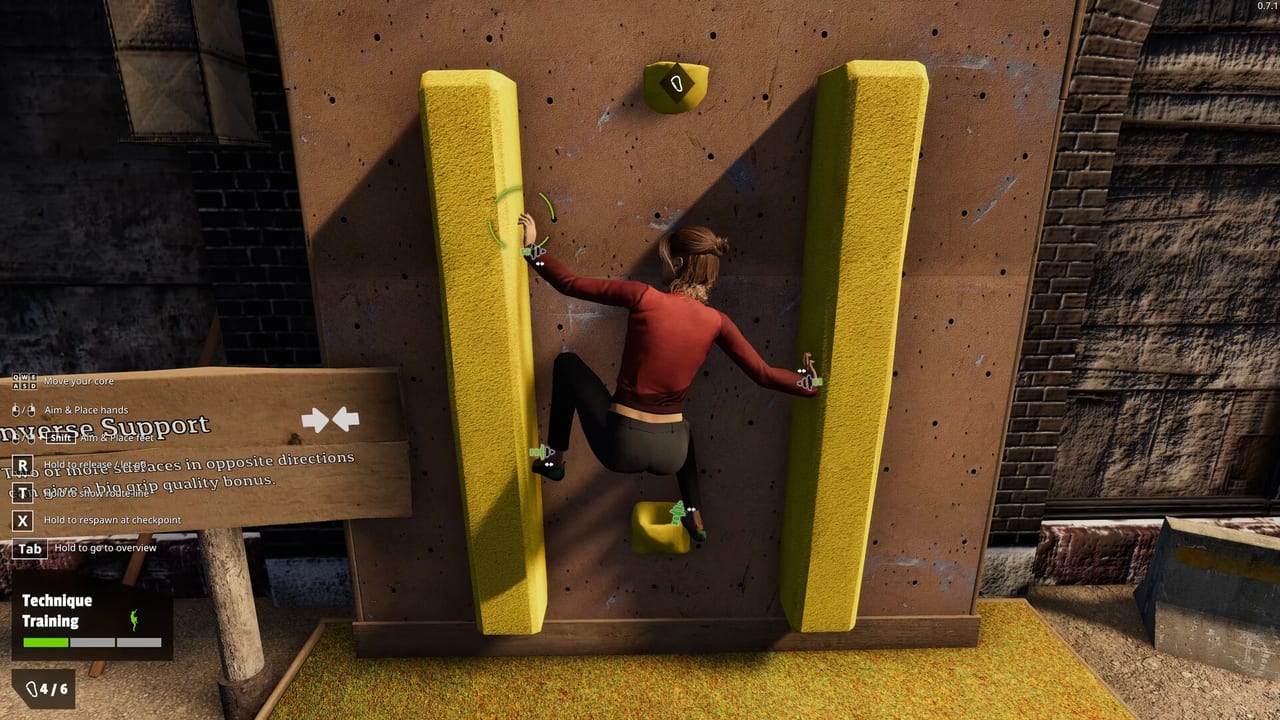
New Heights already has a gym, an overlay, and a Workshop wizard. This hub is the extra paper you wish the pause menu printed. The main sheet is the control sheet. Hardware before you buy sits on system requirements. Handheld sessions belong on the Steam Deck guide. Mesh truth and the bonus first-person challenge sit on textureless scan and FPV. Everything else here is a short reference so you do not alt-tab through five guides mid-crux.
What belongs on a second screen
- Default keys and the arrow colour grammar (control sheet).
- PC, Deck, and GPU floors on system requirements.
- Verified layout, ProtonDB Low+800p notes, and DualSense habits on Steam Deck.
- Textureless surface scan and FPV toggles on textureless and FPV.
- Send-order bands from the route ranking.
- Sector picker from locations.
- Rope loop from belaying if you are on bolts.
You do not need a DPS calculator. You need to remember that R releases and Shift is feet.
Star ladder (quick)
Gym three-stars → outdoor Beginner → Intermediate Font / Casino → a bolted Freÿr pitch → Elite/Pro tags → Hanshelleren as a museum. Full prose is on the ranking page; named endgame lines are on hardest routes. Do not skip bands because a trailer showed Silence.
Assists versus honesty
Options that change the sim: automatic feet, automatic limb release, automatic camera reset, textureless scan, FPV, ghosts. Turn assists on while you learn controls. Turn them down when you hunt three stars. Textureless scan is a truth tool, not an assist — it shows the mesh the solver uses. FPV is a funny bonus camera, not a project mode. Ghosts are a beta tool. Automatic feet are training wheels.
Workshop and overlay
Recording keys (F checkpoint / finish, G cancel) sit on the control sheet because people forget them the moment explore mode starts. Overlay (Tab) is the rest of the HUD: stars, timer, boards. Timed mode is a tool; leave it off until the send is clean. See leaderboards.
Print the control sheet, pin the ranking, and climb. If a patch rebinds a default, we update the sheet and note it in patch notes.
How these tools fit a session
Open the gym with the control sheet visible. After the first outdoor travel, keep the route ranking on screen instead — you already know R and Shift, and you now need a sector that matches your stars. On a bolted day, swap in the belay article for the five minutes before you clip. On Deck, open the Steam Deck page once, save a Low+800p preset, then climb Font before the cave. When albedo lies on a smear or a cave edge, flip textureless scan from the FPV page; leave FPV for victory laps.
Workshop recording is the only time F and G matter; do not keep that table up during a Font circuit or you will tap checkpoint on a real send.
This hub will not grow a damage calculator, a seed finder, or a promo-code form. New Heights does not have those systems. If a future patch adds a new default key or a new overlay filter, the sheet updates and the updates hub explains why. Until then, the useful tool is still the one that stops you grabbing a red smear because you forgot which mouse button is the left foot.
Frequently Asked Questions
Quick answers to the most common questions.
Is there an in-game training overlay?
The gym prompts list keys on the left. This hub is the expanded version of that list.
Do I need the Unity tool?
Only to ship a new location. Route recording is in-game. See Workshop.
Where is the control sheet?
The control sheet subpage. Hardware lives on system requirements. Deck and textureless/FPV have their own tool pages.
Is Steam Deck supported?
Yes — Steam Deck Verified. Read the Steam Deck guide for ProtonDB settings and session tips.